Plan Your Dream Wedding with TERRA Canva Templates
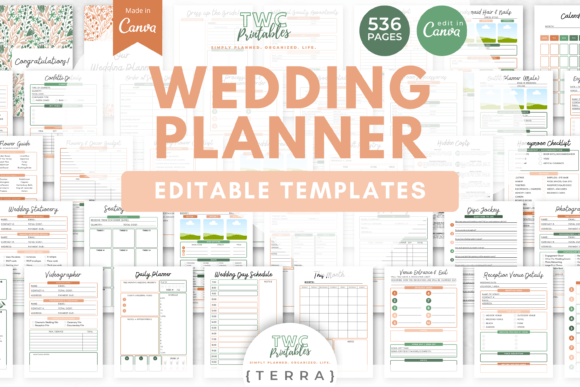
Organizing a wedding involves managing countless details, from vendor contracts to guest seating. The Wedding Planner Canva Templates | TERRA collection offers a comprehensive digital solution to streamline this process. This set provides a cohesive visual system, allowing couples to build a personalized wedding planner binder from scratch. The TERRA design palette brings a bright, modern aesthetic to your planning documents, ensuring that every checklist, timeline, and budget sheet is both functional and visually appealing.
A Complete System for Wedding Organization
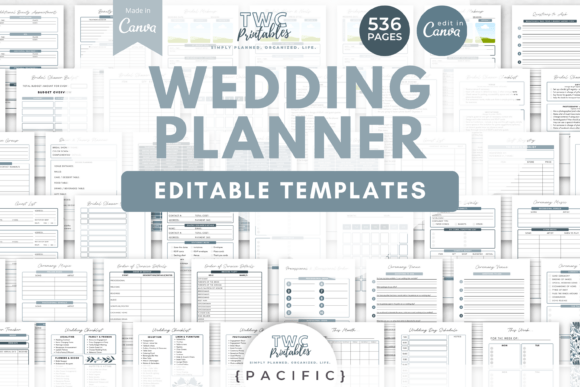
With 536 templates included, this collection covers every aspect of wedding planning. The templates are designed for both A4 and US letter sizes, making them ready for printing or digital use. The core of the system is its adaptability. While the default TERRA color palette offers a fresh starting point, every element within the Canva templates is editable. You can adjust fonts, colors, shapes, layouts, and graphical elements to match your wedding theme perfectly. All that is required is a free Canva account, and a beginner's guide is included to help you get started.
The templates are organized into logical sections that mirror a traditional wedding binder. Key sections include:
- Covers and Dividers to create a polished, book-like structure for your binder.
- Wedding Date Planner and Done-for-You Timelines to establish a clear schedule from engagement to the big day.
- Checklists, Schedules, and Calendars for tracking tasks, appointments, and milestones.
- Wedding Budget sheets to monitor expenses and payments.
- Guest Management tools, including guest lists, seating planners, and contact sheets.
- Ceremony and Reception Planners for detailing the event flow and logistics.
- Vendor Management with address books and VIP vendor planners.
- Style and Attire sections for dresses, suits, accessories, beauty schedules, and ring details.
- Stationery and Decor planners for invitations, flowers, decor, and favors.
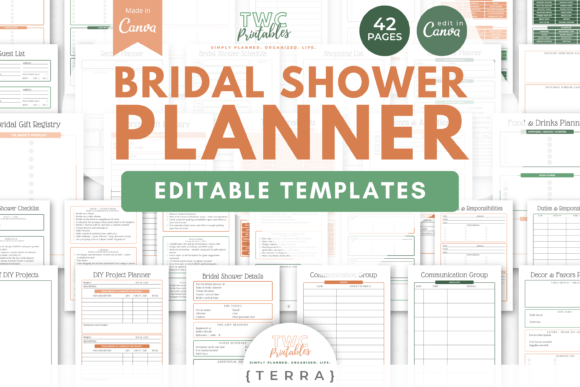
- Additional Event Planners for related celebrations like the bridal shower.
The TERRA Aesthetic: Modern, Bright, and Adaptable
The TERRA design palette is characterized by its bright, contemporary feel. It typically features a harmonious blend of warm and cool tones that feel energetic yet organized. This style works exceptionally well for couples seeking a modern, clean look for their planning materials. The visual personality is approachable and joyful, avoiding overly ornate or traditional motifs. This makes it versatile enough to adapt to various wedding themes, from rustic garden parties to sleek urban celebrations.
From a design perspective, the templates utilize modern typography principles. The default font choices likely balance readability with style, often pairing a clean sans serif font for body text with a complementary display font or script font for headings. This creates a clear visual hierarchy, making it easy to scan documents for information. The use of shapes, lines, and ample white space contributes to a professional, uncluttered layout that reduces planning stress.
Practical Applications Beyond the Binder
While the primary function is to create a physical or digital wedding planner, the Wedding Planner Canva Templates | TERRA collection has broader applications. The cohesive design system can inform other wedding-related projects, ensuring brand identity consistency across all touchpoints.
For instance, the color palette and typography from the templates can be extracted and used to create:
- Social Media Graphics for wedding websites, save-the-date announcements, or thank-you posts.
- Printable Decor like table numbers, menu cards, or program booklets that match your binder's aesthetic.
- Digital Invitations or e-vites for related events, maintaining a unified look.
- Photo Albums or Scrapbooks where the template elements can be used as decorative frames or backgrounds.
This approach turns planning documents into design assets that contribute to the overall visual story of your wedding. The templates are not just organizational tools; they are a foundation for a cohesive creative project.
Maximizing the Templates: Tips for Customization
To get the most out of this resource, consider these practical steps. First, before diving into editing, review all the included templates to understand the full scope. Identify which sections are most critical for your needs. Next, establish your personal color palette. Use Canva's color picker tool to match the TERRA palette to your specific wedding colors, or create a new palette altogether. Experiment with font pairing. While the defaults work well, you might want to substitute fonts to better reflect your style—perhaps swapping a handwritten font for a more formal serif font.
When editing, focus on clarity. Ensure that your customized text remains highly readable, especially for detailed lists and budgets. Test print a few key pages, like the budget sheet or a checklist, to verify that the layout and font sizes work well on paper. Remember, the goal is a tool that you will use repeatedly throughout your planning journey, so it must be functional above all else.
The inclusion of a bridal shower planner and templates for other events is a significant advantage. It allows you to extend the same organized, stylish approach to all pre-wedding festivities, creating a seamless experience for you and your guests. This holistic approach to planning documentation can significantly reduce stress and enhance enjoyment of the process.
Ultimately, the Wedding Planner Canva Templates | TERRA provide a robust, flexible framework for wedding organization. They empower couples to take control of the planning process with tools that are as beautiful as they are practical, turning a potentially overwhelming task into a creative and enjoyable part of the wedding journey.